Silence removal can shorten a recording by removing quiet sections, but “silence” is not a perfect description of what a computer hears. The current Filivox operation looks at signal amplitude. It does not understand whether a quiet section is an intentional pause, a breath, room tone, or a word spoken softly.
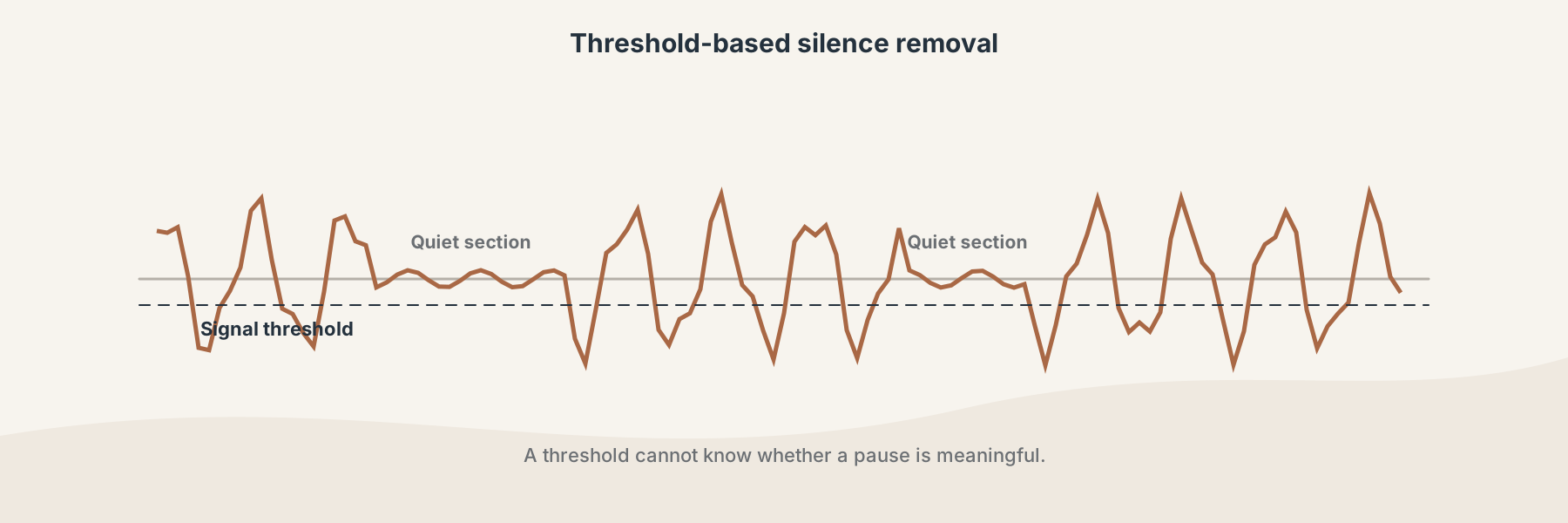
A threshold can identify quiet frames, but it cannot know whether a pause is meaningful.
When silence removal helps
It can help with a recording that has long quiet spaces at the beginning, end, or between usable sections. It is a reasonable cleanup step for a rough voice memo or a recording where the pauses are clearly unwanted.
It is not the same as noise reduction. Audio Noise Reducer targets low-level noise, while Audio Trimmer applies a timing-based trim. Choose the operation based on what you want to change.
How the Filivox operation works
The current browser implementation expects a valid PCM WAV file and uses a fixed amplitude threshold to decide which frames are quiet. Frames below that threshold are removed from the returned WAV. There is no speech detector, pause-length editor, or content-aware exception list.
A careful workflow
- Keep the original recording.
- Choose a supported WAV file.
- Run Audio Silence Remover.
- Listen from the beginning, through every edit, and at the end of the result.
- Keep the original if a breath, word ending, or musical attack was cut too aggressively.
The result is useful when the threshold matches the recording. It should not be treated as a universal automatic edit for speech, interviews, music, or ambience.