Audio normalization changes the overall level of a recording so its loudest sample reaches a chosen headroom. It is a level adjustment, not a way to recover missing detail and not the same as making every quiet moment equally loud.
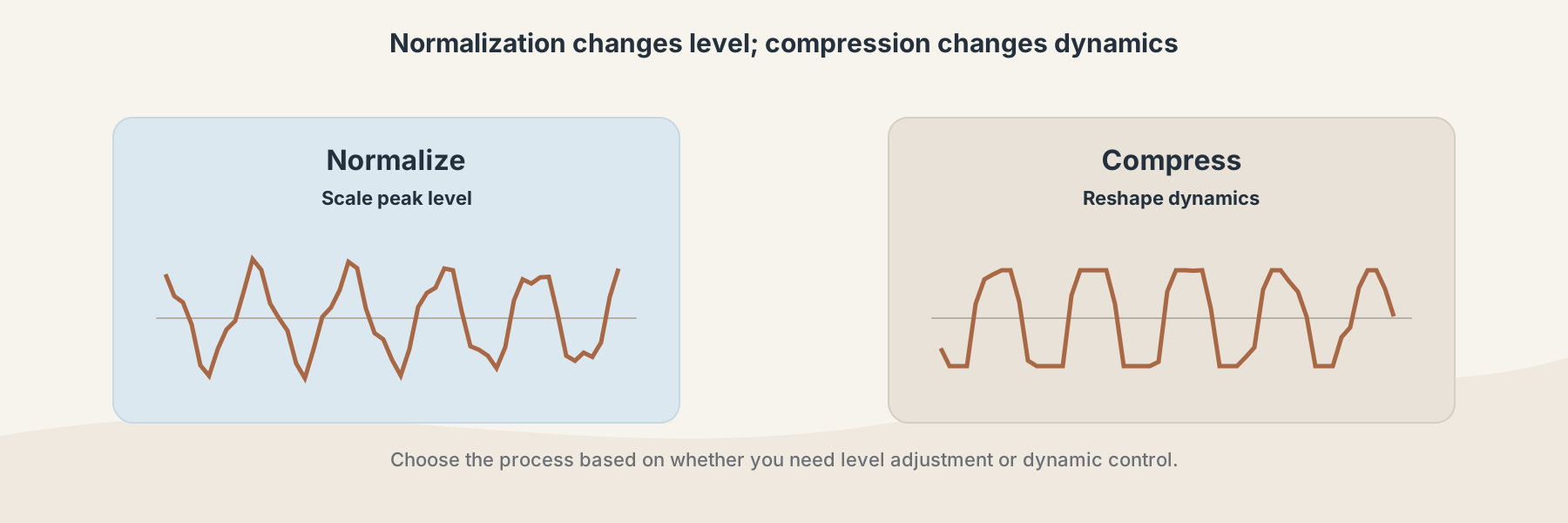
Normalization changes peak level; compression changes how the dynamic range behaves.
Normalization versus boosting
Boosting applies a gain change. If the source already has a loud peak, boosting can push that peak into clipping. Normalization looks at the peak and scales the recording to a safer target.
Filivox's Audio Volume Normalizer applies a bounded peak-normalization operation to a supported WAV file. Audio Volume Booster is a different operation: it increases gain with clipping protection. Neither operation replaces a full mastering workflow.
Normalization versus compression
Compression changes the relationship between loud and quiet parts. It can reduce peaks and make a performance feel more consistent, but it also changes dynamics. Normalization leaves the relative shape of the waveform intact while changing its overall scale.
That difference matters for speech, music, and sound effects. A normalized recording may still have a large difference between a loud phrase and a quiet phrase. A compressed recording may feel more even but less dynamic.
A practical workflow
- Keep the original WAV file.
- Choose Audio Volume Normalizer when the peak level is the problem.
- Listen to the returned WAV at a sensible monitoring level.
- Use a player or editor to check for clipping, unexpected silence, or a level mismatch with neighboring files.
Normalization is a useful preparation step, not a guarantee that two recordings will sound equally loud to every listener. Room noise, frequency balance, and listener volume still affect the result.